Merchant admin

· Act 5: Run & grow the programRecorded walkthrough

Subscription detail — admin overrides

Captured from the real, deployed UI by the test suite that proves this step — if the step had broken, this still would never have been captured. The highlighted region is the step's focus; the caption is its narration.
Step 1
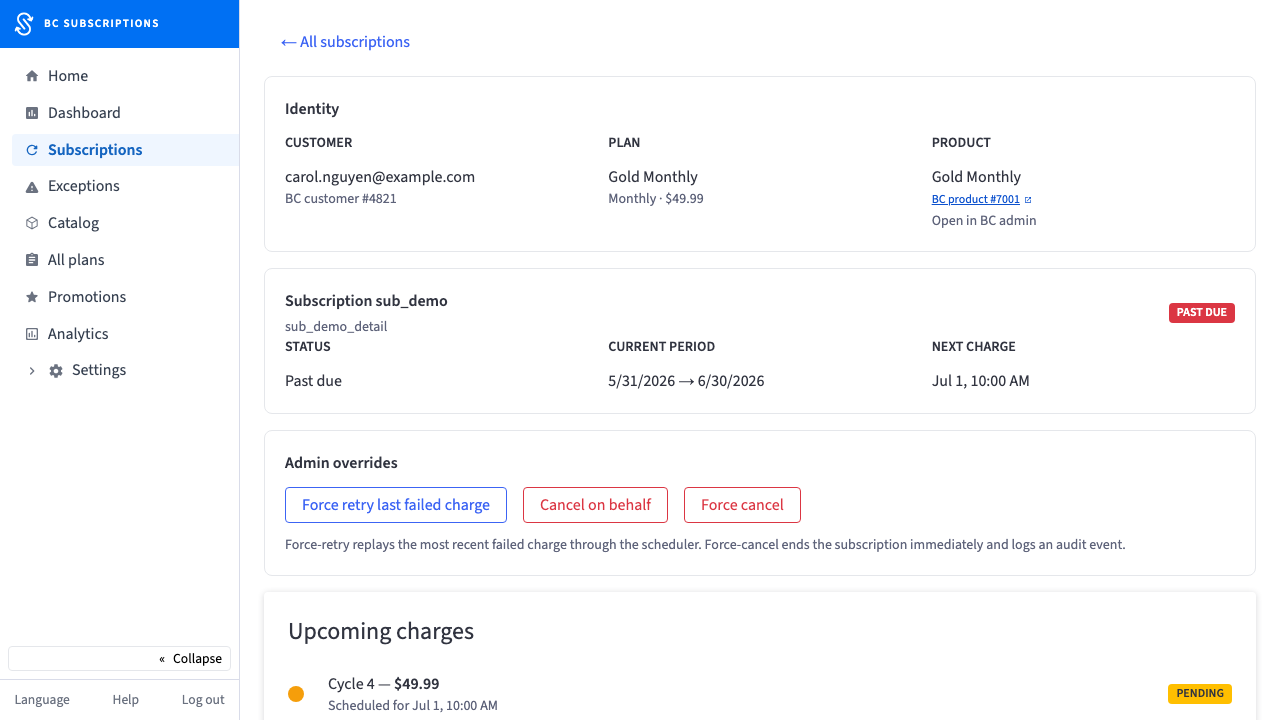
1The full subscription, inside the BigCommerce admin — identity, billing period, every charge attempt, and the override actions a merchant reaches for when a renewal goes sideways.
Step 2
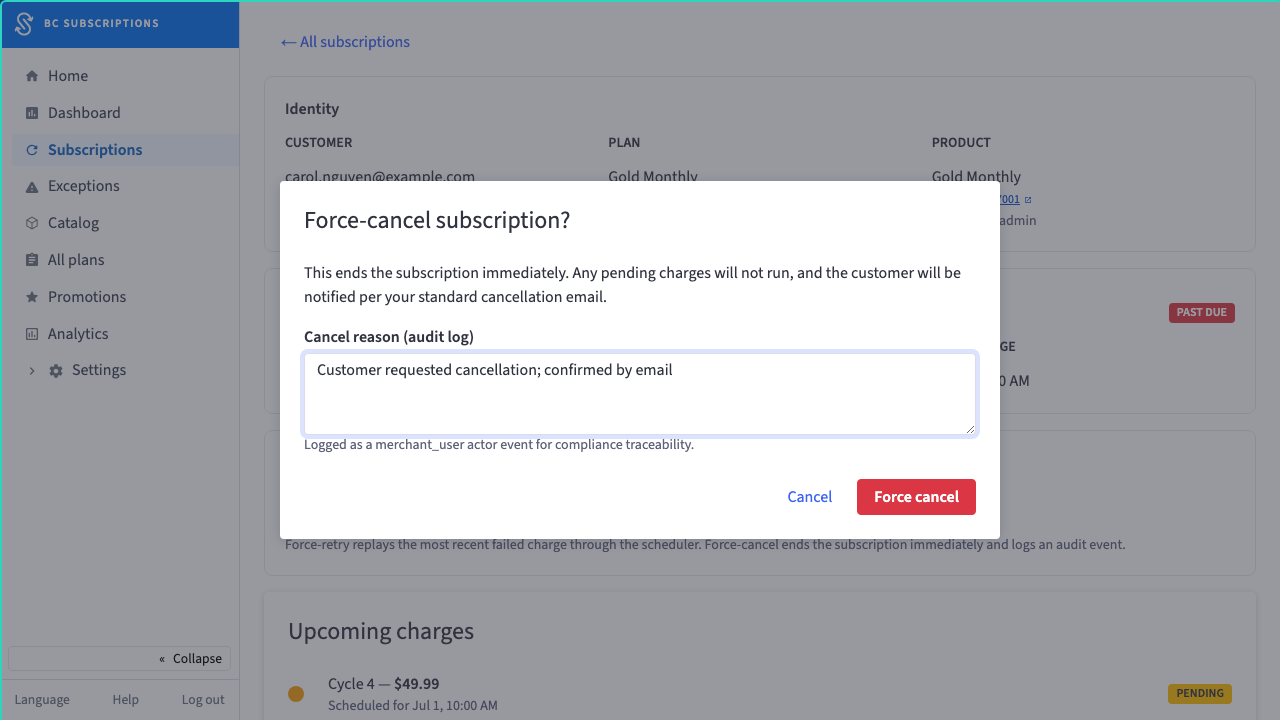
2The merchant confirms the cancellation and logs why — "Customer requested cancellation; confirmed by email" — for the audit trail.
Step 3
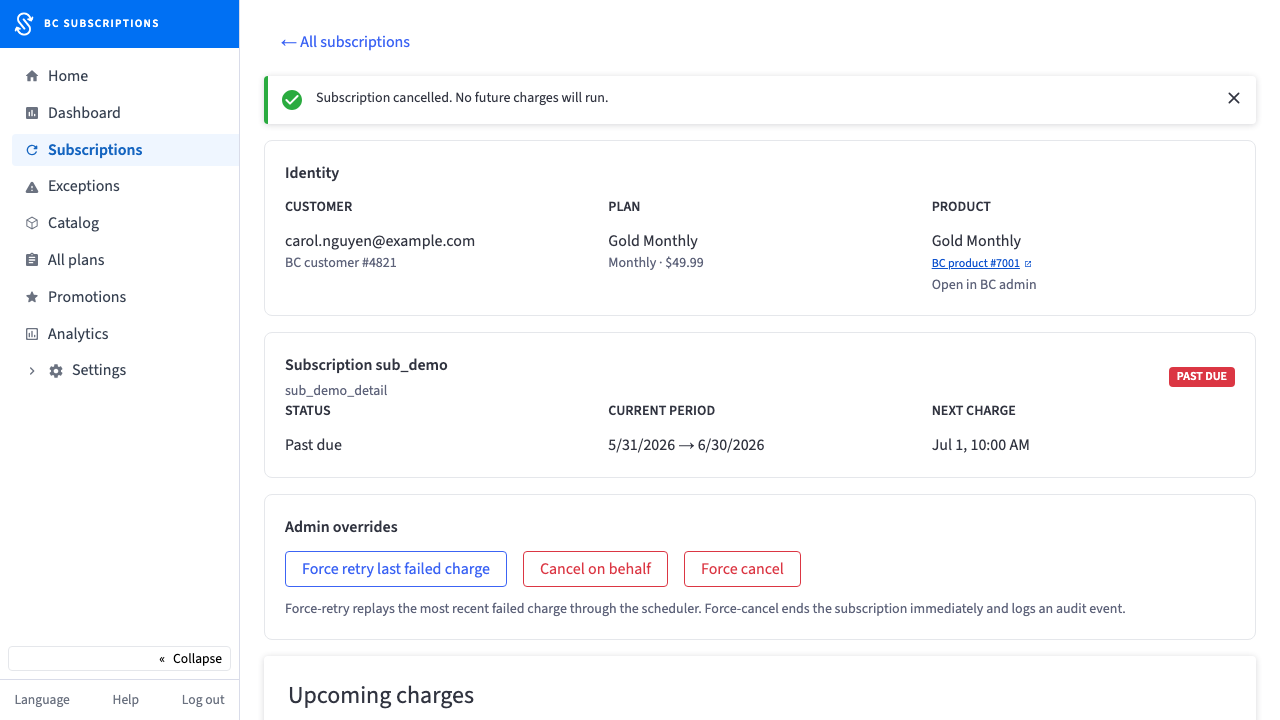
3Cancelled — confirmed in the UI, with the reason logged as a merchant_user audit event.