Merchant admin

· Act 1: Stand up the storeRecorded walkthrough

Onboarding — storefront activation

Captured from the real, deployed UI by the test suite that proves this step — if the step had broken, this still would never have been captured. The highlighted region is the step's focus; the caption is its narration.
Step 1
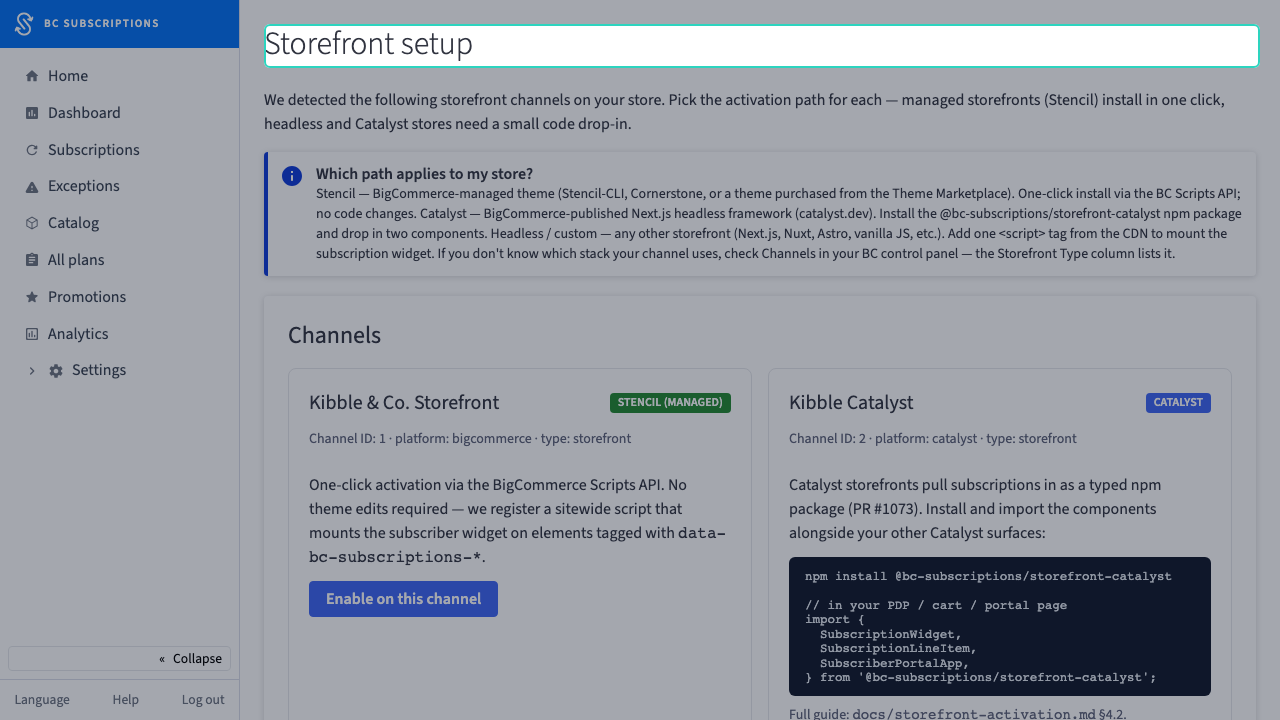
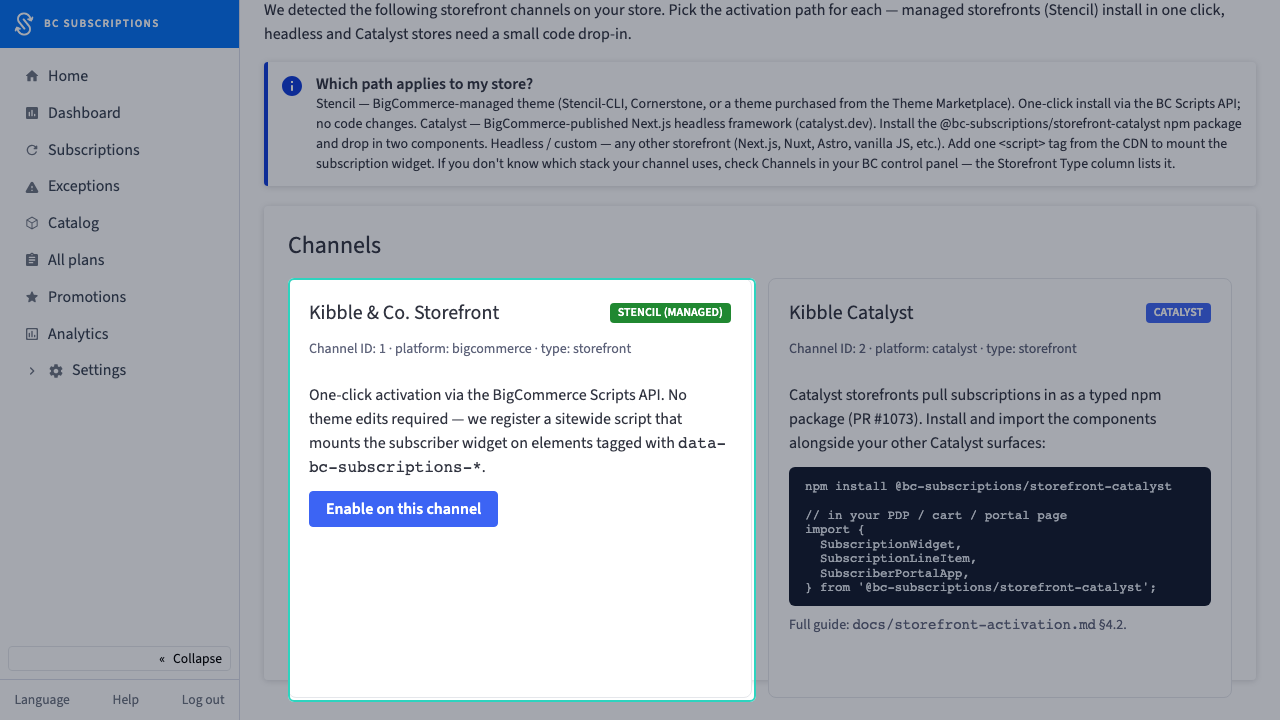
1Subscriptions has to mount on the storefront — and how depends on the stack. The wizard detects each channel and offers the activation path that fits it.
Step 2
2A managed Stencil theme gets a one-click Enable — the app registers a sitewide BC Scripts API entry, so the subscription widget mounts with zero theme edits.
Step 3
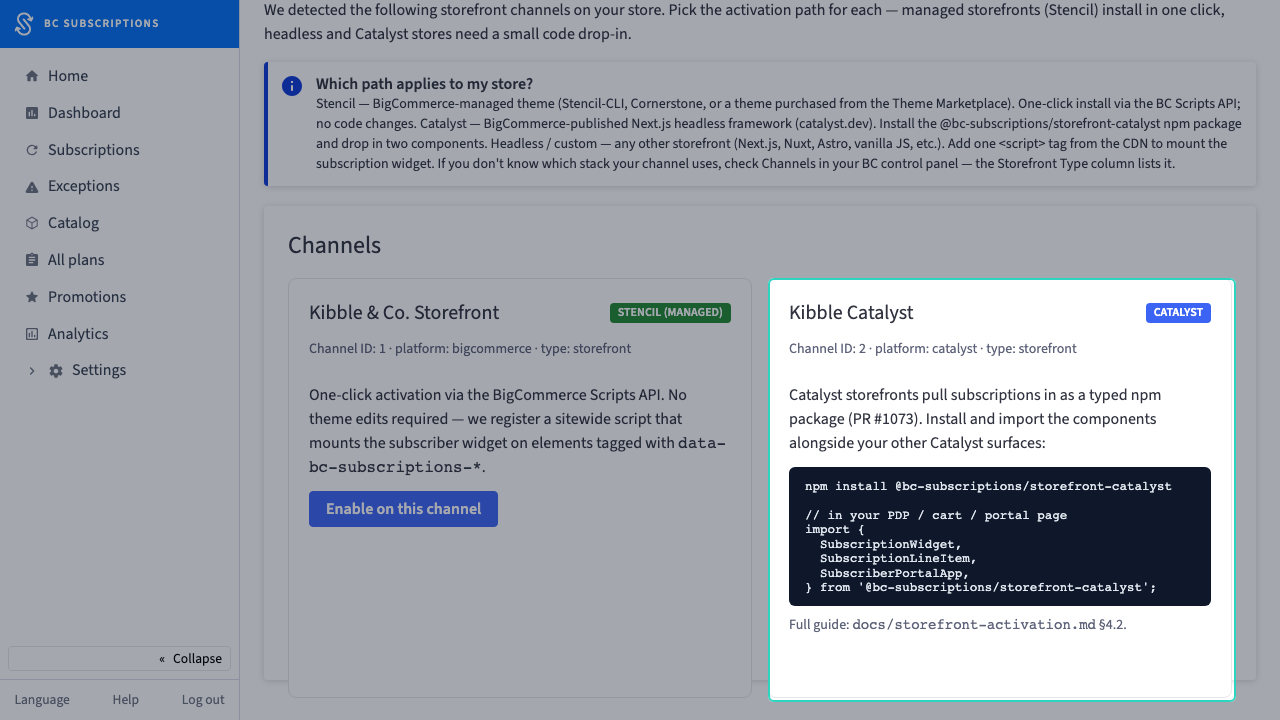
3A Catalyst channel can't take a script injection, so the card hands the merchant the exact npm package and imports to drop in instead — the right path per stack, detected automatically.
Step 4
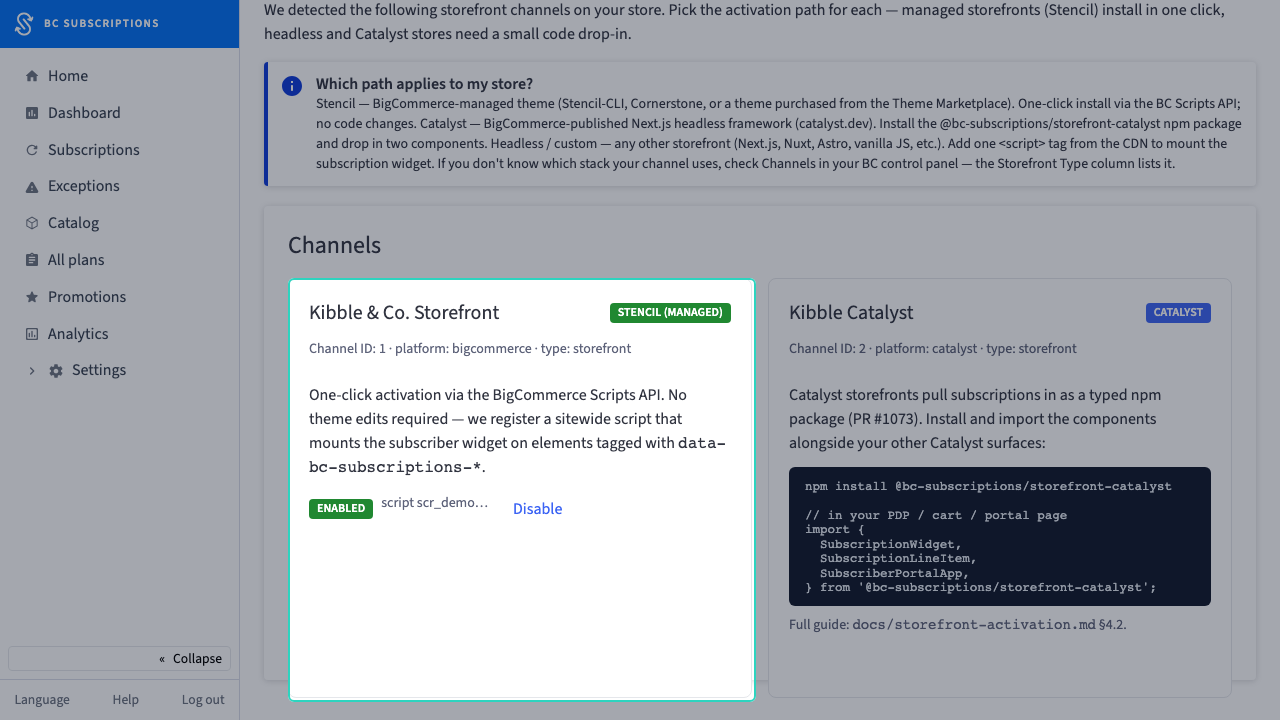
4The Enable click posts the channel id to the activation endpoint — the one-click affordance is wired to the call that actually registers the Scripts API entry.
Step 5
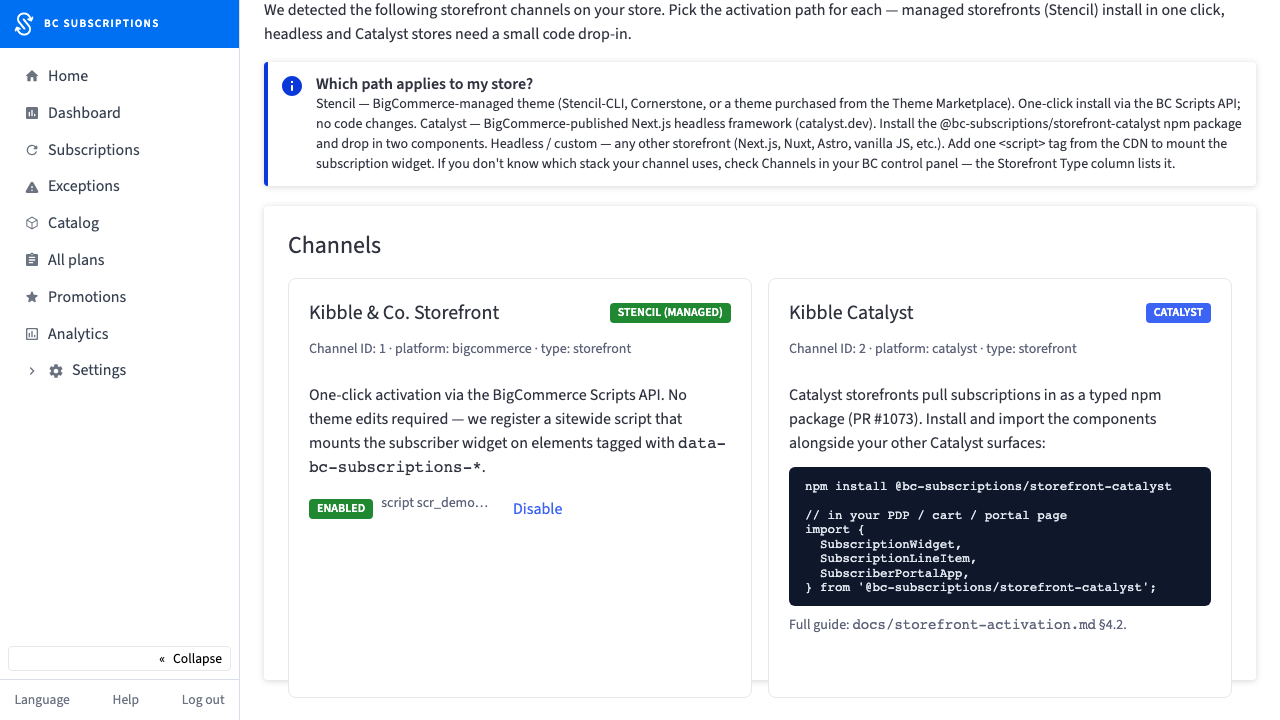
5The card flips to Enabled with the script reference and a Disable control — the merchant sees the activation land, not just a spinner that stops.